Employee Asset Custody in Qatar: A Practical Guide
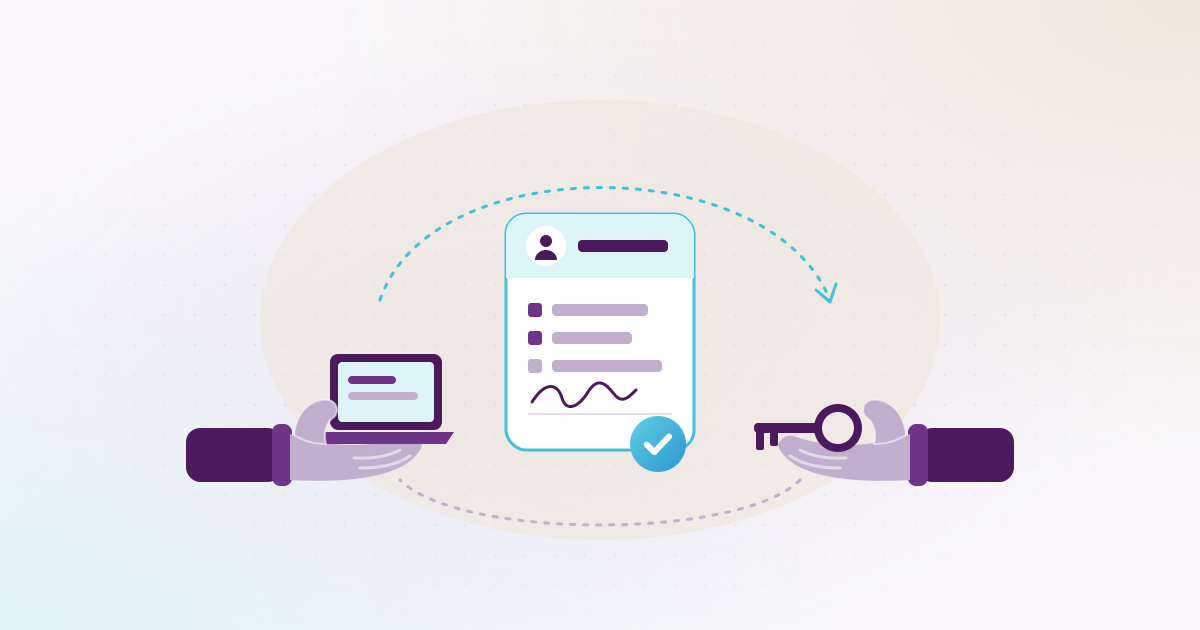

Employee asset custody is the company property you hand to a member of staff to do their job, such as a laptop, a phone, a car or a set of tools, with a signed record that they hold it and will return it. In Qatar, most companies run custody on a handover form at the start and a clearance check before the employee’s final settlement, and the problems usually sit in between: items that moved without paperwork, and nobody sure who has what.
Akwad Programming is a software company in Doha that sets up ERPNext for companies in Qatar, including asset and custody tracking. This guide covers the process itself: what to hand over, what the form should say, and how to get everything back. It is dated 16 November 2026, and the ERPNext features mentioned are linked to Frappe’s documentation, checked on that date. It is not legal advice.
What counts as employee custody in a company?
Custody is any company item that one named employee holds and is responsible for until they hand it back. The usual list in a Qatar company looks like this:
- IT equipment: laptops, monitors, tablets, docking stations.
- Phones and SIM cards: the handset, plus the company line from Ooredoo or Vodafone and its monthly package.
- Vehicles: the car or pickup, its keys, the Istimara copy and any fuel card.
- Tools and equipment: drills, measuring kits, safety gear and site equipment for teams in the Industrial Area or on project sites.
- Access items: office keys, building access cards, the company’s stamp, and sometimes a cheque book.
Not every item needs to be a fixed asset in your accounts. A SIM card or a hard hat is cheap, but you still want to know who has it. Many companies track the expensive items as assets and the small ones as a simple custody list, both under the employee’s name.
What should an asset handover form include?
A good custody handover form («نموذج تسليم عهدة») identifies the item, the employee and the condition, and carries both signatures and the date. If any of these is missing, the form won’t settle a dispute later.
| Field | Why it matters |
|---|---|
| Employee name, employee number and QID | Ties the item to one person, even if two staff share a name |
| Department and work location | Shows where the item should be |
| Item description, brand and model | So “a laptop” isn’t the only record |
| Serial number, IMEI, plate number or asset tag | The one detail that proves it is the same item |
| Condition at handover, with photos | Avoids arguments about scratches and missing chargers |
| Accessories | Charger, bag, case, spare key |
| Date of handover | Starts the record |
| Signatures of the employee and the person handing over | Both sides agree what changed hands |
| The company’s custody terms | What the employee agrees to about care, loss and return |
Print it in Arabic and English. Many teams in Qatar include staff who read one language better than the other, and a form the employee can’t read is weak proof of anything.
How do you keep track of who holds what?
Keep one register in which every item shows its current holder, and update it each time an item changes hands, not at the end of the year. Many companies have three lists that don’t match: IT’s laptop sheet, admin’s car list, and finance’s fixed asset register.
A few habits keep the register honest:
- One owner for the process. Usually HR or admin. IT, fleet and site managers record their handovers in the same place.
- A tag on each item. A barcode or QR label links the physical item to its record, so a count takes minutes per room.
- A yearly check. Once a year, or before the audit, each employee confirms the list of items under their name, and each manager confirms their team’s.
- A check before long leave. Before annual leave or a long trip home, the line manager checks whether a car or tools should stay with the team.
What happens to custody when an employee moves to another site or department?
Record the move as a handover: the item comes back to the company, or goes straight to the new holder, with a new form. Most custody gaps start here, because a site engineer moves from one project to another and takes the drill set or the pickup along without telling anyone.
There are two clean ways to handle it. The employee keeps the item, and you update the location and department on the record. Or the item stays where it is and passes to the colleague who takes over, with both names on the form. The point is that the register changes on the day the item moves.
How does custody clearance work before the final settlement?
Before an employee’s final settlement («المخالصة النهائية»), HR checks that every item in their name is back, and the employee signs a clearance form («إخلاء طرف») confirming it. In most companies the final dues are only paid once the custody line on that form is signed off.
A clearance that works looks like this:
- HR opens the exit file as soon as the resignation or termination is confirmed, with the last working day.
- The system lists the employee’s custody, so HR isn’t asking IT, fleet and the site manager one by one.
- Each department receives its items back and checks the condition against the handover form.
- Missing or damaged items are recorded with a note, before anyone calculates the final amount.
- The clearance form is signed by each department and the employee.
- The final settlement is prepared, with the last salary, leave encashment and end-of-service gratuity («مكافأة نهاية الخدمة»), and paid.
How final payments are made, through WPS and the bank, is covered in our guide to WPS in Qatar.
What if a custody item is damaged or lost?
Record it at once, with the date, what happened and who reported it, and treat it under a policy the employee agreed to in advance. An item that broke during normal work is different from one that was neglected or lost, and the record should say which.
Practical steps:
- Ask for a short written report and, for a phone or car, any police or insurance reference.
- Attach photos to the item’s record.
- Decide whether the item is repaired, replaced or written off, and record that decision.
- Keep the agreed custody terms on file, signed at handover.
Whether a company may recover the cost from an employee, and how, depends on the employment contract and Qatar’s Labour Law. Ask the Ministry of Labour or your legal adviser before you deduct anything from salary or final dues.
How does ERPNext record employee custody?
ERPNext records custody on the asset itself: each asset has a custodian, and every handover is saved as an asset movement, so you see who holds the asset now and who held it before. Frappe’s Asset Movement documentation (checked 16 November 2026) lists four purposes:
- Issue: hand the asset to an employee.
- Receipt: take it back from the employee.
- Transfer: move it to another location.
- Transfer and Issue: move it and hand it to an employee in one step.
The movement changes custody and location, not the asset’s value, so your books stay as they are. For the exit, Frappe HR’s Employee Separation can hold a checklist such as “collect laptop” and “collect ID card”, each assigned to a person or role. The Full and Final Statement then brings in the assets from the employee’s movements, and HR marks each one as returned or adds its cost to the amounts to recover, before the statement is submitted.
On our projects we add a printed custody handover form that comes straight from the movement, in Arabic and English, with space for signatures. For Asklan for Trading and Agriculture Company, whose teams work across offices, farms and project sites, the asset movement records which employee holds each piece of equipment handed over. The full setup is on our fixed asset management and employee custody page, and the exit and final settlement side is in ERPNext HR and payroll.
Where should you start?
Start with a list. Ask each department head for every item their team holds today, with the holder’s name and a serial or plate number, and put it in one place. That list usually shows the gaps quickly: items nobody can find, and people who left without returning something.
Then agree the handover form, the clearance steps and the custody terms with HR, IT and finance, and move the list into your system. If you’d like to see how this runs in ERPNext with your own items, book a demo and our team in Doha will walk you through it. What a full ERP setup costs depends on your modules and data; our guide to what an ERP system costs in Qatar explains what goes into the quote.